Showing posts with label review. Show all posts

Tuesday, April 15, 2014

Sony Ericsson Aino review I know fun Web browser organizer and apps


Web browser

The web browser preinstalled on the Aino is the same as Yaris - an updated version of the popular NetFront 3.5 mobile browser. It offers a much smoother experience than before and renders web pages more quickly. Almost every time it nails the zoom level for comfortable reading.
Plenty of shortcuts arranged in a tree structure are listed on the homescreen, right under a search and an address bar. They grant access to free content, such as clips, tracks and games on the Sony Ericsson site, including a step-by-step guide for setting up email accounts or internet connections. The appearance of the home screen changes to a different bright color each time you start the browser too.
Sony Ericsson Aino
The extended home screen is a nice touch on the latest Sony Ericsson phones
Equipped with a mouse pointer, the new NetFront 3.5 web browser always operates in fullscreen mode and the four most important features are easily accessible on a toolbar - mini-map, enter an address, favorites and downloads.
Sony Ericsson Aino Sony Ericsson Aino Sony Ericsson Aino Sony Ericsson Aino
Sony Ericsson Aino web browser
Additionally, we found some other features as well such as mark-and-copy, allowing you to copy text off web pages.
There is also automatic RSS finder. If you browse an RSS enables site, a small RSS icon will appear. If you click there you can access all the available RSS feeds.
Sony Ericsson Aino Sony Ericsson Aino
Smart-Fit on • Automatic RSS
We really liked the simple web browser user interface. What we really miss though is touch support. With a capacitive screen on board the lack of touch capabilities is a shame. Well say it again - the Opera mini was a joy to use on the touchscreen and its just a third-party app we snatched off the web. It couldnt have been too hard for Sony Ericsson to do something about giving users better browsing options. As things are, the Aino creates a dilemma rather than a choice.
Sony Ericsson Aino Sony Ericsson Aino Sony Ericsson Aino Sony Ericsson Aino
The Opera Mini works on the Ainos touchscreen
Another thing missing on the Aino is Flash support.

Organizer and apps

The Sony Ericsson Aino offers a wide range of time-management features. The Calendar offers monthly, weekly and daily views. When you add a birth date in the phonebook, the phone prompts adding it to the calendar. The to-do application allows storing of two types of tasks: simple Tasks and Phone calls. Notes are written similar to messages and the T9 dictionary can be used here as well.
Sony Ericsson Aino Sony Ericsson Aino Sony Ericsson Aino Sony Ericsson Aino
The traditional Organizer with its apps • Calendar
There are two eye-candy additions to the calendar app. The first one is that the main menu icon shows the actual date, just like the iPhone UI. The other is available thanks to the bigger screen - every month of the year has its own cartoon background with seasonal motives.
Sony Ericsson Aino Sony Ericsson Aino Sony Ericsson Aino Sony Ericsson Aino
Different cartoons are available for every month
The Alarms are part of the main menu and there are five alarm slots available. Each one offers a lot of options - you can choose to repeat the alarm on chosen days of the week or everyday. Text and a picture can be added to the alarm. Furthermore, the alarms behavior can be defined in case the time it is due to go off comes while the phone is in silent mode.
Sony Ericsson Aino Sony Ericsson Aino Sony Ericsson Aino
The well-known alarm
The Calculator is the regular Sony Ericsson app. It offers the basic functions, no bells and whistles, but you can run the Converter from there. The stopwatch and countdown timer are also the familiar basic applications. The Voice recorder has no limit to recording length, making the available free memory the only restriction.
Sony Ericsson Aino Sony Ericsson Aino Sony Ericsson Aino Sony Ericsson Aino
Calculator • Stopwatch • Timer • Converter
You can use the LED flash as a flashlight thanks to the Torch app.
Sony Ericsson Aino
Torch app
As for the additional applications, Sony Ericsson Aino comes with AccuWeather, Bluetooth Robot, YouTube, Music Quiz and Photo Mate.
Photo Mate offers help and practical tips for getting the most out of your camera.
The Music Quiz is exactly what its name says - you have to name the title, artist, album or year of release of random tracks in your music library. Long story short: a part of a song is played each round and you have 5 to 30 seconds to guess.
As far as the Bluetooth Robot is concerned, its a very basic app that you can assign as wallpaper. It has no menus and options, its sole purpose perhaps to detect and display available Bluetooth-enabled devices in the vicinity.
Sony Ericsson Aino Sony Ericsson Aino Sony Ericsson Aino Sony Ericsson Aino
Photo Mate • Music Quiz • Bluetooth Robot
The AccuWeather application gives you up-to-date weather information for locations of interest. Current conditions overview and a three day forecast are available for a great number of cities around the world. You should bear in mind that the data is downloaded in real time and data charges apply. Not that we can think of any other way for the application to work but we still feel a warning is due.
You have 9 available slots, where you can assign different cities. Then you have five different weather information tabs - general, five-day forecast, two-week forecast and more.
Sony Ericsson Aino Sony Ericsson Aino Sony Ericsson Aino Sony Ericsson Aino
AccuWeather in action
Read More..

Motorola PEBL Review

http://phoneblip.com/images/Motorola_PEBL_Rainbow.jpg   


Checked June, 2006 by Jacob Spindel
Its rugged and stylish. Its sleek and comfortable. In fact, the Motorola PEBL offered by T-Mobile has quickly become the second-most handsome thing in my house, behind only the cat (trust me, you dont want to upset the cat). The PEBL is the fashion-conscious cousin to the stylin Motorola RAZR and SLVR (all vowel-challenged and hip). Although its features dont stack up quite as well as its design, the PEBL is a contender for basic users who are concerned about their phones durability and good looks.
PEBL Preliminaries
The PEBL is a jet-black flip-phone with rounded edges, measuring about 3.5" by 1.9" by 0.75" when closed and weighing 3.8 ounces (other colors are also available). Its also available in blue, orange and green. The device is called "self-opening," meaning that it snaps completely open or closed in a manner that feels almost spring-loaded. Three buttons line the phones sides, while the camera and outer display are on the front of the phone. The only other external component of the phones minimalist design is the user-replaceable battery on the back of the phone.
Motorola PEBL
back of PEBL

When opened, the phones internal buttons and screens follow the standard layout. However, one feature that is more unique is the style of the buttons themselves, which are flat and involve less physical motion than the buttons on most cell phones. Although the backlighting of the buttons is minimal, the buttons design also contributes to the phones overall sense of durability.
PEBL
side view

Durability, in fact, is one of the phones strongest features, since the outside shell simultaneously feels both rubberized and solid. I wouldnt recommend the phone for situations where you will intentionally be regularly involved in high-risk situations (and definitely no scuba diving!), but if you use it normally and happen to have an accident, the PEBL seems significantly more likely to survive than many other phones.
Data and Phone Features
The PEBL is a quad-band GSM world phone (supporting the 850/900/1800/1900MHz bands) with support for EDGE and GPRS. For voice calls, it worked well, generating clear audio with good volume, with the built-in speakers as well as with wired and wireless headsets. The reception remained strong throughout the areas in which I tested the phone.
The PEBL worked well with T-Mobiles "T-Zones" portal, which allows you to access basic functionality like ringtones, images, and news sites specifically built into the T-Zones area. Ringtones downloaded quickly and easily, although users should note that "celebrity voices are impersonated" (the Darth Vader ringtone sounded more like Arnold SchwarzenVader). Since our news phone had only the basic T-Zones data plan, I wasnt able to download Opera Mini, or test DUN (Dial up Networking). The phone is Java compliant and supports J2ME, so Opera Mini and the wealth of J2ME games should work fine.
PEBL to the Metal
This wouldve been yet another restatement of "the phone uses the standard Motorola user interface, which has decent performance..." except that the PEBL had the misfortune of being newsed at the same time as Samsungs t509, a phone that has truly raised my expectations. Compared to the Samsung, Motorolas user interface has a noticeable lag for virtually every button push, even just navigating basic menus. T-Mobile doesnt specify what CPU the PEBL uses, but my patience for these types of delays is quickly running out.
The phone does not accept any expansion cards, and has only about 5 MB of internal memory accessible to the user. Although I was glad to see that its connector is a standard USB mini-B 5-pin port, the usefulness of this feature is largely negated by the fact that it cannot connect to a computer via USB unless the computer has optional software installed (not included with the phone).
PEBLs Pixels
The phone has very sharp displays. The inside display is active matrix with a resolution of 176 pixels by 220, and it displays up to 262,000 colors with a bright, clear image. Even the external display, which is 92 x 32 pixels, is more stylized and unique than most flip-phones outer screens, offering multiple display styles you can choose from to monitor the phones clock, battery, and signal strength when the phone is closed. Being a flip-phone, the PEBL also has the inherent advantage of strong protection for its internal screen.
Moto Photo
The PEBLs built-in camera also worked well. Although its resolution is a modest 640 x 480, I found the clarity of the pictures to be impressive. Using the 4x digital zoom made images a bit blurrier (as expected), but still fairly decent. As with most cell phones, pictures and movies from the camera are stored as JPEGs and 3gp files, respectively.
Bluetooth
The PEBLs Bluetooth is yet another case of "just like all the other Motorola phones." In testing, it paired with computers and wireless headsets without problems, and it also used Bluetooth to transmit files (such as photos you take with the camera) successfully. However, like other Motorola phones, you have to manually enable the "discoverable" mode every time you need it, since the mode will turn itself off after one minute. This makes for better security but it can also be a nuisance if you frequently pair with new devices.

PEBL Power
The PEBLs included lithium-ion battery is rated at 740 mAh, with a claimed battery life of 5 hours talk time, or 10.5 days of standby. Judging from my use, these estimates are reasonably accurate. Motorola does not offer a higher capacity battery as an option, although you can purchase a spare battery with the same capacity as the included one for $41.99 (according to Motorolas web site).
PEBLs & Bits
The software included with the PEBL is fairly standard, including basics like a messaging app and a voice recording manager. The instant messaging program supports AIM and Yahoo, but not MSN. Mac OS X users can sync the PEBLs address book with iSync, a feature the Samsung t509 doesnt have, but this may be more Apples doing than Motorolas. As with many other Motorola phones, you can manage photos within the photo program, videos within the video program, and so forth, but there is no general-purpose file manager.
Conclusion
The PEBLs slow user interface might put off fast-paced buyers (though if youre OK with other recent Moto phones, the PEBL wont both you much). That said, the cool styling, variety of available colors, no-slip coating which keeps the phone safefly in hand, EDGE for data, bright screen and a camera in a phone with above-average durability are strong selling points.
Pros: Great styling. Strong, sturdy design; clear, bright screen; sharply focused camera.
Cons: Slow user interface, cant connect to computer via USB without additional software.
Price: $99.99 (with activation of new T-Mobile contract)


Specs:
Display: 262K color 176 x 220 pixel TFT main (inner) display. 92 x 32 pixel color outer display.
Battery: Lithium Ion rechargeable. Battery is user replaceable. 740 mA. Claimed 5 hours talk time and 10.5 days standby.
Performance: Undisclosed CPU. 5 megs of available memory.
Size: 3.5 by 1.9 by 0.75 inches. Weight: 3.8 ounces.
Phone: GSM quad band mobile phone (850/900/1800/1900MHz bands). EDGE and GPRS for data. T-Mobile phone is sold locked to T-Mobile.
Camera: VGA camera capable of taking photos at 640 x 480 resolution. Can take videos in 3gp format.
Audio: Built in polyphonic speaker, mic and headphone jack.
Networking: Bluetooth.
Software: Phone book, Wireless address book back-up, Calculator, Calendar, Camera, Messaging (supports POP3, SMTP and IMAP4 email, SMS, MMS and Wireless Village IM), voice recorder.
Expansion: None.
                                                               ( Author :  Jacob Spindel, Source : mobiletechnews )
Read More..

Saturday, March 29, 2014

Lenovo ThinkPad SL300 Review


by Kevin OBrien

The ThinkPad SL300 is Lenovos new 13.3" budget business notebook which offers many of the same features you would find on the T/X/R-series notebooks, but at a much lower price. The SL series is Lenovos attempt to directly compete against the lower priced Dell Vostro small-business lineup of notebooks, offering many business features, but at a lower cost than the Latitude models. Now the question running through everyones minds is, should Lenovo have put the ThinkPad logo on a budget oriented notebook? Read our review to find out what we think about the ThinkPad SL300.

Our review unit specifications:
• Processor: 2.4GHz Intel Core 2 Duo P8600 (1066MHz FSB, 3MB Cache)
• Graphics: NVIDIA GeForce 9300M GS 128MB
• Screen: 13.3" WXGA LED-Backlit Glossy VibrantView (1280x800, 300nit)
• Memory: 2GB(up to 4GB configurable)
• Storage: 250GB SATA HDD (5400rpm)
• Optical Drive: Dual layer CD/DVD recordable drive
• Wireless and Communications: Intel 5100 (802.11 a/b/g/n wi-fi), BlueTooth 2.0 EDR
• Battery: 6-cell Li-Ion 51Wh
• Dimensions: 12.5 x 9.4 x 1.3-1.5"
• Weight: 4lbs 14oz with battery
• Operating System: Windows Vista Home Premium SP1
• Warranty: 1-year

Build and Design

The design of the new SL-series is not unlike the older generation R-series notebooks during the IBM era of ThinkPads. The entire chassis is made up of a durable plastic, which helps cut down on weight as well as cost. The normally exposed screen hinges are covered with plastic and the ThinkPad logo even sports a red LED for the "I". A glossy surface replaces the rubbery black paint commonly found on the more expensive ThinkPads, which some might say gives it a cleaner or more stylish appearance. This budget ThinkPad also shows its true "ThinkPad" roots with the red-striped and blue-dotted TouchPoint buttons.

Build quality is just above average, with a durable feel, but not as strong as what you might find in the R or T series models. Some mild flex is found in the palmrest, and the bottom of the notebook has more give under stress, such as gripping the edge while carrying the notebook around. Fit and finish could be improved in a few areas, such as the TouchPoint buttons which are too close to the top edge of the palmrest, and squeak when pressed. While this is a fairly minor assembly defect, the level of annoyance is like walking around with a shoe soaked with water, squeaking everywhere you step.

Upgrading components on the SL300 is much easier than trying to do the same on the T or R series ThinkPads. All user upgradable parts are located beneath 2 panels located on the bottom of the notebook. This includes access to the RAM, WWAN slot, processor, and other components. Compared with the other ThinkPad models which require the palmrest and keyboard to be taken apart before you can access certain items, this might be more user-friendly.

Screen

The LED-backlit VibrantView display found on the SL300 rates above average and was very easy on the eyes. Color and contrast with the glossy finish were excellent, making images and video "pop" out at you. Vertical viewing angles were decent, with a good-sized sweet spot before colors started to invert as you tilt the screen forward or back. Horizontal viewing angles were excellent, not really showing any distortion even at very steep angles. The LED-backlit was very bright, enough to easily overcome intense office lighting. Outdoor visibility would have been better if the screen didnt have so much reflection from the glossy surface, but it was still manageable. My preferred brightness setting inside was 80% in the office and about 50-60% at my home.

Keyboard and Touchpad

The keyboard on the SL300 is very firm around the perimeter, and even above the optical drive cavity, shows little to no flex under firm pressure. Key action is very smooth and gives just the right about of feedback for each click, exactly what you would want out of a ThinkPad keyboard. Some of the layout has been tweaked, such as the page up and page down buttons located near the direction pad, instead of at the upper corner of the keyboard.
The touchpad was a mild disappointment, with quite a bit of lag and inconsistent sensitivity. While on the surface the touchpad looks just like what you would find on any other ThinkPad, it is actually a completely different panel. Lenovo opted for a non-Synaptics touchpad which I found to be so distracting in use that I turned to the TouchPoint during my review. The touchpad surface is very nice, with a semi-rough texture that is easily to glide your finger across. The touchpad buttons are also excellent, with a deep throw and great feedback. The TouchPoint functionality was great, and my only gripe were the buttons that rubbed up against the palmrest and squeaked.

Performance

System performance was excellent with the 2.4GHz Intel P8600 Core 2 Duo processor and NVIDIA 9300M graphics. The notebook was very snappy with a fast boot-time, and applications opened without any lag. While it might not be in the same territory as gaming rigs, it is more than capable for its intended audience of small businesses. Synthetic benchmarks also gave very good scores, although not the best with 3D gaming.

wPrime 32M time : 32.059s
PCMark05 Score : 5,554 PCMarks
3DMark06 Score : 1,695 3DMarks

Ports and Features

Port selection on the SL300 is very nice, offering a wide range of ports that dont always crop up on 13.3" notebooks. The SL300 offers both VGA and HDMI graphics, which should interest both projector users and people who watch to use the notebook with an HDTV.
• Three USB 2.0 ports
• Firewire
• ExpressCard slot
• Gigabit Ethernet and modem
• Multi-card reader
• Audio out, microphone in
• VGA monitor out
• HDMI (video and audio)
• Kensington lock slot
Front: Wireless On/Off, Headphone/Mic
Rear: Kensington Lock Slot, Modem, VGA
Left: HDMI, 1 USB, Multi-Card Reader, Firewire
Right: Expresscard/54, 2 USB, LAN, AC Power

Speakers and Audio

The Lenovo SL300 offered three main sources of audio output, including Headphone out, speakers, and HDMI audio. The speakers performed adequately, but were low in peak volume and lacked any hint of bass. For watching YouTube clips or listening to internet radio it would be fine, but if you really want to enjoy an audio source turn to one of the other audio sources. The Headphone jack provided clean static-free audio, perfect for private listening. The HDMI output also supported digital audio out which worked fine with my Sony HDTV.

Battery

The SL300 handled itself quite well in our off-the-grid testing, reaching above 4 hours of battery life on the 6-cell battery. With the brightness set to 60%and wireless enabled and active, the SL300 managed 4 hours and 19 minutes of battery life before it reached 4% and went into hibernation. While this is no 6 hours from our T400, it is still very good for a 13.3" notebook.

Heat and Noise

The Lenovo ThinkPad SL300 ran remarkably cool during our tests, having more than enough cooling from a fan that always operated at a slow speed while the computer was running. Running off of the battery in adaptive mode, typing surface temperatures were great peaking just below 81F towards the lower part of the keyboard. With room temperature at 74F, you could barely even feel if the laptop had been operating for any length of time. Bottom temperatures were also excellent, with a peak temperature of 83F. I could probably go as far as saying that this notebook is the coolest operating notebook I have reviewed.
Fan noise was minimal at slow speeds, just under a whisper level. Under stress like benchmarking it did increase, but not to unbearable levels.

Conclusion

The Lenovo ThinkPad SL300 turned out be to be very capable business notebook, with most of the ThinkPad durability and features we are used to, but with a much lower cost. This notebook had more than enough power to plow through daily tasks, heavily influenced by the 2.4GHz Intel Core 2 Duo P8600 processor and NVIDIA 9300M GS graphics card. Battery life was good reaching above 4 hours of life in our testing, compared to the 14" T400 which could break six hours with switchable graphics. Overall the SL300 is a solid notebook for those looking to purchase something more durable than a consumer notebook, but dont want to make a jump into the full-on business notebook category.

Pros

• Very good performance
• Cool to the touch; is it even on?
• Easy to upgrade components in compared to regular ThinkPad
• Good battery life

Cons

• Squeaky TouchPoint button
• Laggy non-Synaptics touchpad

Read More..

Sunday, March 16, 2014

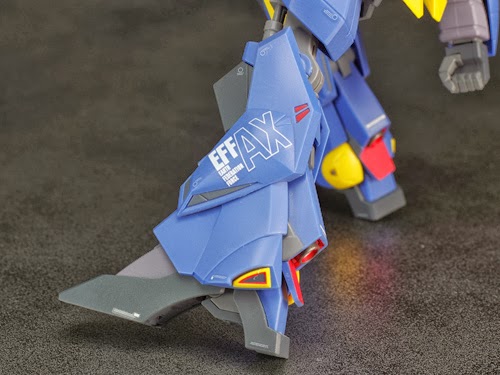
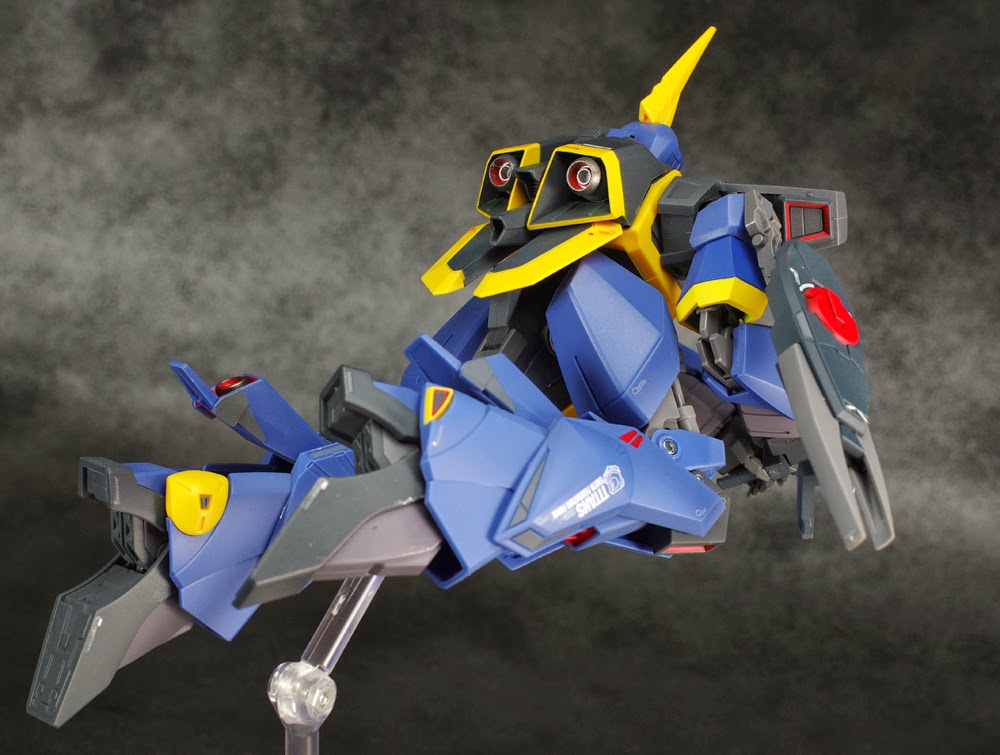
Tamashii Web Shop Exclusive Robot Damashii Ka Signature RMS 154 Barzam Review by Schizophonic9

Tamashii Web Shop Exclusive: Robot Damashii Ka Signature: RMS-154 Barzam  (Pre-Order Begins: Aug 23rd 2013, Release Date: Jan 2014, Price: 5775 yen)
GG INFINITE: ORDER HERE
Review by Schizophonic9


Read More..
 
Powered by Blogger .
Converted To Blogger Template by Anshul .